A Chrome extension for readers
Build vocabulary as you browse.
Lingo Nugget highlights the vocabulary worth keeping on every page you read — with inline meanings, one-click saving, and a daily context review that helps you remember it for good.
Add to Chrome — free On the Chrome Web Store · 14-day free trial, no card
Three steps, no detours
Real, unedited screenshots of the extension running in Chrome.
-
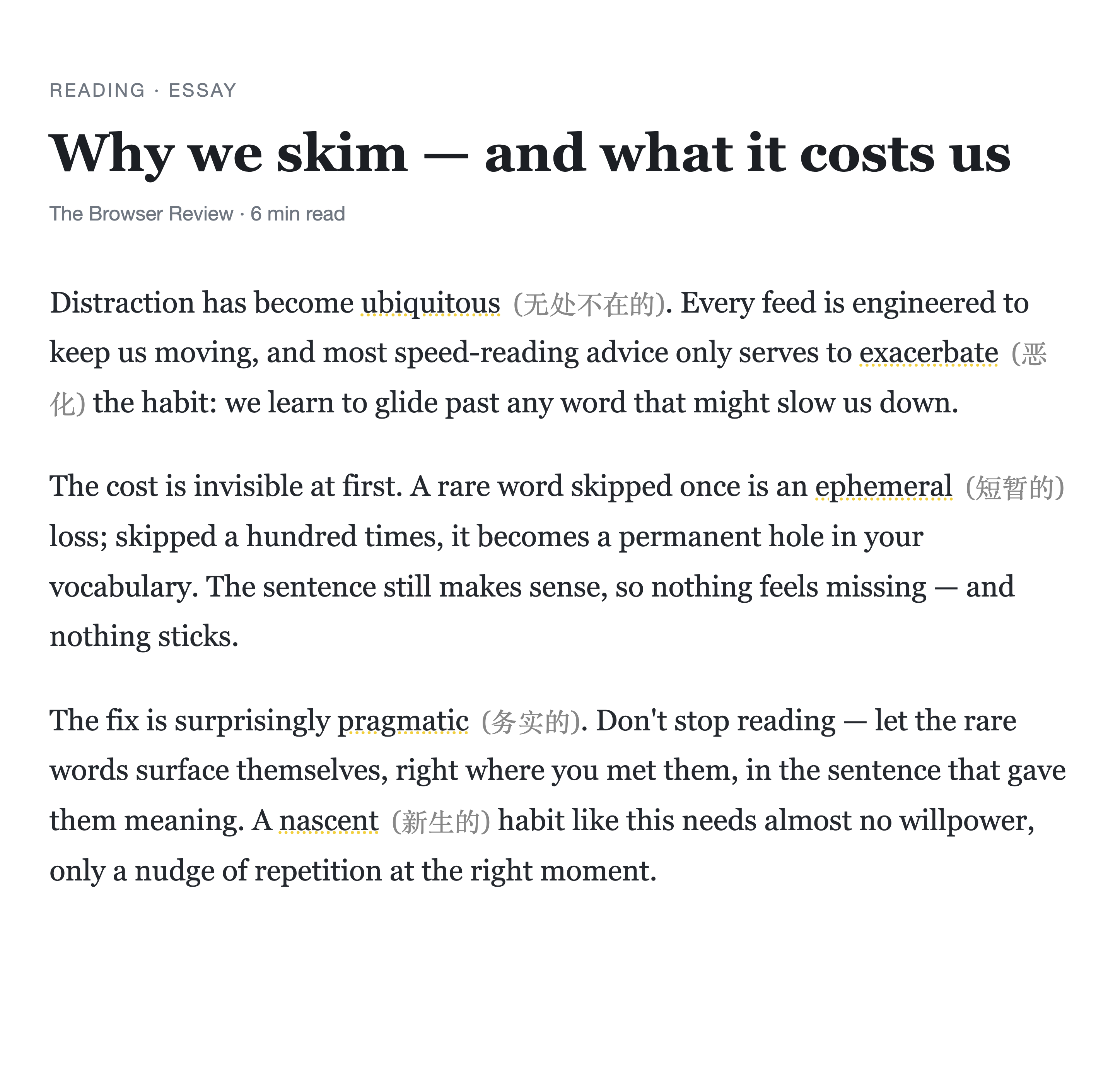
Read as you always do
Lingo Nugget quietly marks the advanced words on the page, with the translation inline. No pop-ups until you ask.
-
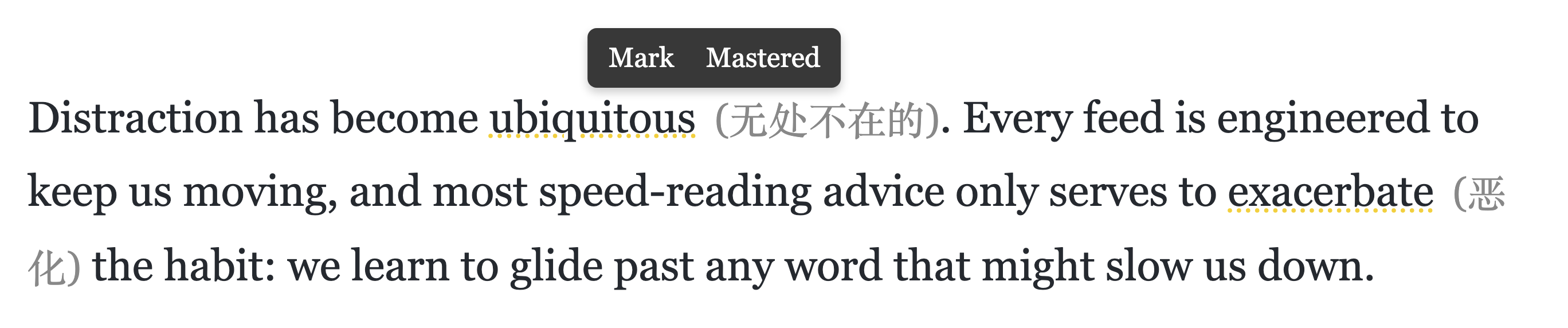
Save in one click
Hover a highlight and click Mark to keep the word — sentence and all. Already know it? Mastered hides it for good. Translation is built in; no API key, nothing to configure.
-
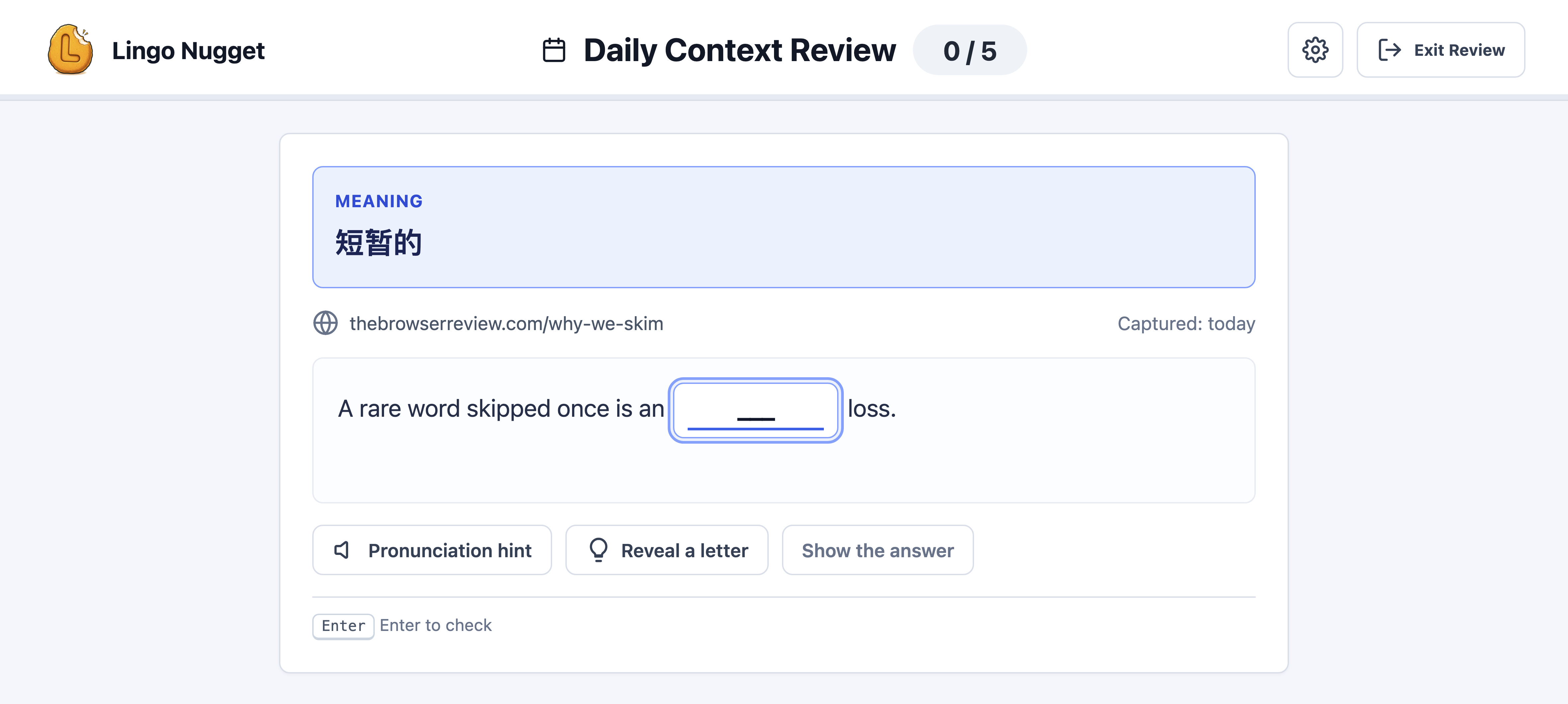
Remember for good
The Daily Context Review shows the meaning and the exact sentence where you met the word — then asks you to recall and type it before revealing the answer. The words you almost forgot come first.
Simple pricing
Every feature is unlocked from day one — no credit card, no feature gates.
Paid
14-day free trial$3.99/month
Taxes calculated at checkout
- Advanced-word highlighting with instant translation
- One-click save, sentence and all
- Daily spaced-repetition review with pronunciation
- Daily practice reminders
And when a trial ends, nothing you've built is taken away: reviewing, pronunciation and reminders for your saved words keep working — free, forever. Only new-word translation pauses.